Log your next set
from the Lock Screen.

Torvex is a gym log for iPhone, built for the ninety seconds between sets. Routines you start in one tap, a rest timer that cannot drift, personal records found for you, and your week on the Home Screen.


Built for the ninety seconds between sets.

The session lives on your phone and is written there on every change, so a force-quit in the middle of a superset costs you nothing. It only reaches the server when you press Finish — the gym is exactly where the signal is worst.

This one works. Tick set 3 on the phone.

  • Previous numbers greyed behind every row, so the target is already on screen.
  • Same again — once a set is ticked, one tap logs its numbers on the next unticked set of that kind and starts the rest. The button says what it will log before you press it.
  • Warm-up, drop and failure sets are their own kinds, and they count toward volume the way they should.
  • The rest timer starts itself on a ticked set, chimes and taps when it is up, and sends a notification if you have left the app.
  • Pick up on another device — an unfinished session is offered back to you wherever you sign in.
  • A suggestion on the block — what to add once you completed it, and when to back off after three sessions at one weight. One of the Pro additions.

Tick the next set from the Lock Screen.

The session comes with you when the phone goes dark: a ring of sets done, one big clock, and the next set with its weight and reps beside a tick. Tap it, and the set is logged, the rest starts, and the card moves on to the set after.

This one works too. Tap the tick on the card.

  • One big number — the session clock between sets, the rest countdown while you rest, with +30s and Skip beside it.
  • It never guesses. A set with nothing typed and no history hands you to the app rather than log a number you did not lift.
  • In the Dynamic Island too, the same pieces at its own size, and whose set is next when you train with somebody.

The tick and the rest buttons need iOS 17. On iOS 16 the card shows the session and leaves the buttons out.


Your week, on the Home Screen.

Six widgets, each small or medium, the calendar large as well. Today's routine, the week so far, the month's training days, your last session and what is left to eat are there before you open anything.

  • Start workout opens the app ready to go, and turns into the session's clock while one is running.
  • On the Lock Screen too — in a circle, a rectangle or the line above the clock.
  • Never yesterday's numbers. Once the day or the week a figure belongs to has ended, the widget shows a dash until the app has opened again.

Press Finish, and the session is read back to you.

Every record is found against your whole history — best weight, best estimated 1RM, best set volume — and flagged on the set that set it. A milestone says so. If somebody trained with you, their totals sit beside yours, and the muscles you worked are drawn underneath.

  • Records on the set that set them, in the gold the app means "record" with everywhere.
  • Milestones marked — your first session, your two hundredth, the first million kilograms.
  • Share it as a picture — a dark card with the session's name, the weight lifted and the records, drawn on the spot.
  • Add a photo — the people who follow you see it with the session, and can like it and comment.
  • Save it as a routine, or repeat it next week with the same sets ready to fill in.

The other half of the work, in the same app.

What is left to eat, as a figure that counts down rather than up, three macro bars under it, and a barcode scanner for everything with a label. Recipes do the arithmetic per serving so you log the bowl, not the ingredients.

  • Scan a barcode and the label fills itself in — or search the built-in foods, and Open Food Facts by name when it is not there. A pack you have scanned before works with no signal.
  • Calories checked against the macros. When a pack's listed figure and its own protein, carbs and fat disagree, you see both and pick the one on the label.
  • Same as yesterday, or a meal you keep — an empty meal offers yesterday's again in one tap, and a meal of two or more things can be saved under a name — ten of them, or a hundred on Pro — and logged whole from My meals.
  • A budget per meal. Split the day across breakfast, lunch, dinner and snacks, and each meal shows what it has left.
  • Water, a glass at a time, with a goal it works out from your bodyweight if you would rather not pick one.
  • Mirrored to Apple Health if you switch it on — workouts, weight and food out; weight, steps and energy back in.
  • Photograph a meal and have its calories and macros estimated — one of the Pro additions.

A complete training log, and none of the ceremony.

Nothing here is behind a wall you have to pay to see. The whole log — every workout, every routine, every number — is the free app. The ten Pro additions are marked where they appear, and listed together below.

Train together Pro to host

Invite people you follow, or let them scan the code on your screen — up to three of you, and joining is free. You share the list of movements, whose set is next and a nudge — your turn, spot me, ready when you are; at the end, each of you sees the others' totals, never their sets.

Routines, laid across your week

Build a template once, put it on the days you actually train, and start it in one tap — or send it to a friend as a link or a QR code, without your weights. Folders, six programmes to start from, and room for six routines, or twelve on Pro.

A programme from a screenshot Pro

Photograph a written plan, paste the text or drop a YouTube or TikTok link, and it comes back as routines you check before anything is saved.

Charts back to day one

Volume, estimated 1RM and set counts per exercise, drawn from every session you have ever logged — not a rolling window of the last few weeks.

Your week and your month, on a card

At five on Sunday, and on the last day of the month, the app hands you a card: sessions, volume and training days, what you trained most, your best lift and the records you set — against the one before, and ready to share.

Ranks, achievements and your circle

A strength rank per lift so you know where a number actually stands, milestones as you pass them, and a feed of the people you follow when you want one.

Everything else it does
  • A rest timer that cannot drift — it stores the moment it ends, never the seconds left, so lock the phone or take a call and it comes back on the right second.
  • 593 exercises, plus your own, for the day your gym installs a machine nobody has heard of.
  • The lifts you always do, first — pin them above everything else, and give one a note that stays: seat on 4, pins at 6.
  • What you take every day — creatine, vitamin D, ten thousand steps. One tick a day, a streak for each, a reminder at three if something is left, and the last thirty days at a glance.
  • Measurements and photos — bodyweight, body fat and eleven tape measurements a day, with progress photos you can hold up side by side.
  • A photo, a like, a comment — the people who follow you see the photo with the session and can answer it, and every comment is read for insults and threats before it is posted.
  • Light and dark — following the phone, or your choice.
  • English, Hungarian and German, down to the exercise names, the foods and the recipes.
  • Supersets, drop sets and RPE — a superset rests after the round, not after each exercise; a drop is a segment of the set it came off; RPE is a ten-item picker, not a keyboard.
  • Warm-up sets worked out for you from the bar, the working weight and the reps you are about to do.
  • A plate calculator on barbell and machine lifts — what goes on each side, using only the plates your gym has.
  • Works offline. A finished session or a logged meal waits on the phone and syncs when the signal is back.
  • A chime and a tap when rest is up, and a notification if you have left the app.
  • Reminders — a session planned today, a few days off, a streak at risk, a glass of water, your checklist at three, and your recap at five on Sunday — each with its own switch.
  • A weekly target — how many sessions a week you mean to train, and how this week is going.
  • How it felt — rate a session from awful to great and watch the trend on your profile. Nobody else sees it.
  • Last trained — how long since each muscle was worked, longest gap first. The gap, not a guess at recovery.
  • The screen stays on while a session runs, so a rest never ends on a locked phone — off in Settings if you would rather.
  • Three shortcuts on the icon — press and hold it for Start workout, Log food and Log a measurement.
  • Goals per lift, with a forecast of when you will get there Pro.
  • Apple Health — workouts, weight and food out; weight, steps and energy back in.
  • Import from Hevy, Strong, FitNotes and JEFIT, and take everything back out as CSV or JSON.
  • Share a session as a picture, repeat a past one, or save it as a routine.
  • A calendar of training days, and Recently deleted with the purge date printed on it.

See the movement, not a link to it.

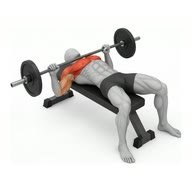
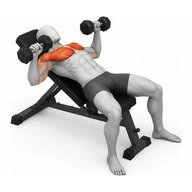
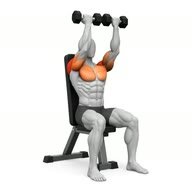
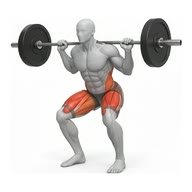
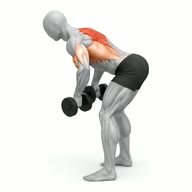
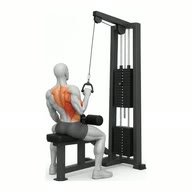
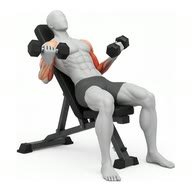
Sixty-six lifts carry a filmed demonstration: one figure, one seamless rep, the working muscles shaded — the primary in red-orange, the assisting ones lighter — on a plain white plate, so one lift looks like the next. This is the bench press, exactly as the app plays it.

  • Primary and assisting muscles on every one of the 593, the equipment it needs, and three steps on how to do it — in all three languages.
  • Eight ways to log — weight × reps, reps only, bodyweight, weighted or assisted bodyweight, duration, distance × duration, weight × distance.
  • Search that forgives a typo, a plural and a missing word — and a filter by muscle or equipment when you would rather browse.
  • Your own exercises, with the same fields, the day your gym installs a machine nobody has heard of.
Bench Press (Barbell) · Chest · Barbell

Kilograms underneath. Pounds only where you read them.

Weight is stored in kilograms and distance in metres, always, and converted at the moment it is drawn on screen. Switching units never rewrites a single row of your history — it changes what the screen says, and nothing else.

  • Estimated 1RM by Epley — weight × (1 + reps ÷ 30) — so a heavy triple and a long set of ten are comparable.
  • Bodyweight counts toward your volume on pull-ups and dips, with assistance and added plates taken off and added on — and never toward the volume anybody else sees, which counts only the weight you lifted.
  • Import what you already have — Hevy, Strong, FitNotes and JEFIT exports are recognised, you confirm the units — and take everything back out again as CSV or JSON.
  • A deleted session waits in Recently deleted with the day it will be purged printed on it.
Estimated 1RM · Bench Press
104.5 kg
+9.4%
Best weight
92.5 kg
28 Aug
Best set volume
660 kg
Yesterday
Sessions
208
Since September 2024
Lifetime volume
748,800 kg
All exercises

Basic is a complete tracker. Pro adds ten things.

Both cards list the same thirteen lines in the same order — the order the app itself uses — so you can read across rather than compare item by item.

Basic
Free

Every workout, every routine, the whole log and every number.

  • Workouts, routines and history
  • Food log, barcodes and water
  • Measurements and progress photos
  • Progression suggestions, and when to back off
  • Import a programme from a screenshot, text or a link — three a week
  • Host training together — friends join free
  • Estimate a meal from a photo
  • Rest that learns — what your best sets follow
  • Goal forecasts — whether you will make it
  • Muscle heatmap
  • Twelve routines instead of six
  • A hundred saved meals instead of ten
  • Leaderboard — your lifts vs. the people you follow
Pro Ten additions
$34.99 / year · in the app$2.92 a month, billed yearly — or $5 month to month

Cancel whenever you like. Nothing you have logged is touched — every workout, meal and photo stays exactly where it is.

  • Workouts, routines and history
  • Food log, barcodes and water
  • Measurements and progress photos
  • Progression suggestions, and when to back off
  • Import a programme from a screenshot, text or a link — three a week
  • Host training together — friends join free
  • Estimate a meal from a photo
  • Rest that learns — what your best sets follow
  • Goal forecasts — whether you will make it
  • Muscle heatmap
  • Twelve routines instead of six
  • A hundred saved meals instead of ten
  • Leaderboard — your lifts vs. the people you follow

Your log is yours, and the database is what enforces it.

Not a check the app performs on itself — a rule Postgres applies to every read and every write, including ones the app never makes.

Owner-only, row by row

Every table has row-level security with owner-only policies. A signed-in account can read and write its own rows and nothing else, whatever the app asks for.

Two-factor from the first sign-in

New accounts get it switched on, because off-by-default is a setting nobody finds. It stays switchable in Settings › Security if you would rather not.

A half-finished sign-in reads nothing

Until the emailed code lands, the session resolves to nobody — so every policy on every table returns zero rows rather than trusting a screen to stand in the way.

Take it all with you

Export your training as JSON or CSV whenever you like, and import a history you already have somewhere else. Deleting is deleting, with a bin in between.


The things people ask before they install it.

Does it work offline?

Yes. The session lives on your phone and is written there on every change, so a dead spot in the gym costs you nothing. It only reaches the server when you press Finish — and if there is no signal then either, the finished session waits on the phone and syncs when there is. Logged meals do the same.

How much is Pro, and what if I stop?

$34.99 a year or $5 a month, in the app. Basic is free and is a complete tracker; Pro adds the ten things listed above. Cancel whenever you like — the ten lock again, and nothing you have logged is touched; routines past the sixth and saved meals past the tenth stay, and you add a new one once you are back under the limit. Every workout, meal and photo stays exactly where it is.

Can I bring my history from another app?

Yes. Exports from Hevy, Strong, FitNotes and JEFIT are recognised by their columns. Anything else goes through a mapping screen where you match the columns and confirm the units, so a year of sets is never guessed at. Everything comes back out the same way, as CSV or JSON.

Why does sign-in ask for an emailed code?

Two-factor is on for every new account from the first sign-in, because off-by-default is a setting nobody finds. Until the code lands, the session can read nothing at all — a guessed password gets an empty app. You can switch it off in Settings › Security if you would rather not.

What does Train together actually share?

The list of movements, whose set is next, and the nudges you send each other — each one of three fixed messages, never anything typed. Sets, reps, weights, notes and rest timers never leave the phone that typed them. When you finish, four totals cross — volume, sets, duration, records — so the recap can put your session beside theirs. That is the whole of it. Starting a session is Pro; joining one, by invite or by scanning its code, is free.

Who can comment on my workouts?

Only the people who follow you — and you cannot start a thread on your own session, only reply in one. Every comment is read before it is posted, by a word list and by Claude, Anthropic’s model; one that insults, degrades or threatens somebody is not posted, and only the person who wrote it is told. The check can be wrong either way, so a refused comment can simply be said another way.

Where is my data, and can I delete it?

In a Supabase project in the European Union (Ireland), under owner-only row-level security. Nobody else sees any of it until you choose: set a username and you can be found, and your finished sessions opened; a photo on a session is for the people who follow you. Export the lot whenever you like. A deleted session waits in Recently deleted with its purge date printed on it; deleting the account, in Settings › Security, removes it and everything that belongs to it. The privacy page has the rest.

Is it iPhone only?

Yes. It is built for the current iPhone — the system tab bar, a Live Activity on the Lock Screen and in the Dynamic Island, widgets, Apple Health — and there is no Android release.

Start your next session in it.

Torvex is finishing up for the App Store. Leave an address and you will get a build, along with one note the day it lands publicly. Nothing else.

One mail with the build, one the day it is public. The address is used for nothing else.